

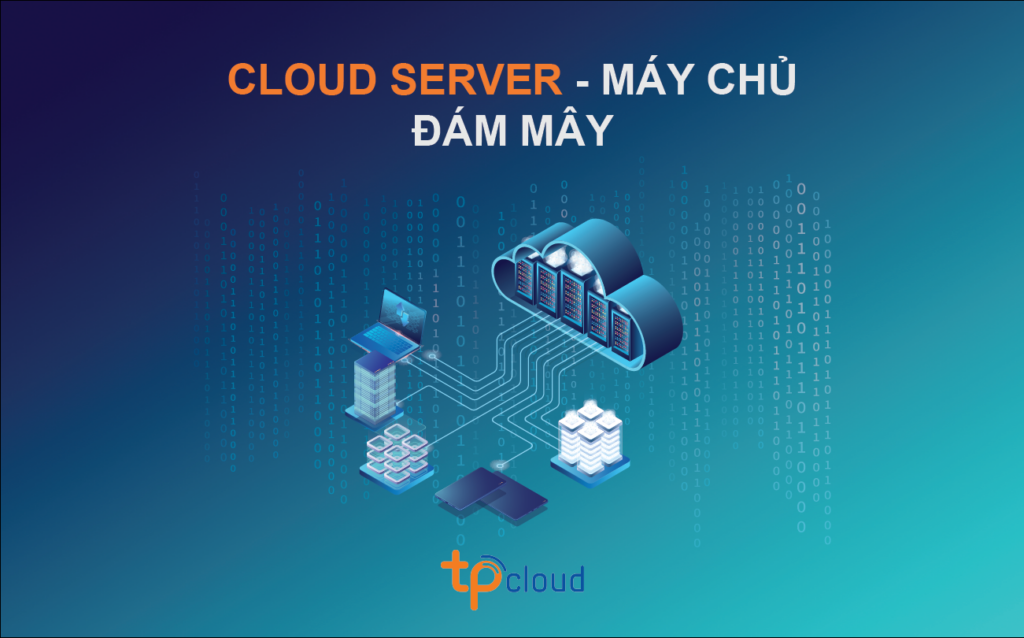
Cloud server (also known as a cloud server) is a virtual infrastructure built to store and process information and applications.Cloud Server is a server product similar to a virtual server (VPS server) but with added Cloud Computing technology.
The word “cloud” (Cloud) is actually just a metaphor referring to the network connection between computers. More specifically, all information and data here are exchanged via the “Cloud”.
To use the resources, users must link their devices to the Cloud. The Cloud will then allow users to retrieve or store data directly on it. This mechanism is completely different from the traditional (Server) method, which requires downloading data to a physical server.
**Key Features of Cloud Servers?**
**
**ul**
**li**
**High Availability:** Cloud server systems will have an automatic monitoring mechanism for the status of the servers used in the Cloud. If one of the servers fails, the system automatically switches to another server.
-
Remote Access: Users can access, manage, and share data from anywhere via network-connected devices.
-
-
Easy Upgrades: If a business needs more resources to perform its work, it no longer needs to build or rent new servers; businesses can upgrade their Cloud resources conveniently and quickly. server according to usage needs.
-
High-configuration and specialized:Cloud server uses server systems from leading manufacturers such as Cisco, Dell, IBM, and SuperMicro with high configuration and a solid network foundation.
-
Private operating system: Users can request the installation of Linux CentOS, Ubuntu, Fedora,… or any publicly supported operating system.
-
Easy Management:Cloud server provides users with a fully functional server management interface in the browser, giving users full control over resources, server reinstallation, and other features.
-
Data Backup:Cloud server systems are backed up and stored weekly as snapshots, ensuring the highest level of data security.
-
Enhanced Security High: Cloud servers utilize the latest multi-layered security system, providing full-time protection combined with comprehensive data security for incoming and outgoing data when communicating with external parties.
ul
Cloud Server Deployment Technology Model
Cloud computing technologies typically follow the IaaS model. A cloud is a combination of server virtualization technology and other technologies.
-
Physical Server Virtualization
When deploying a cloud, the first step is always to virtualize the physical servers. There are two types of virtualization: operating system-based and hardware-based. In simpler terms, it’s software virtualization and hardware virtualization.
-
Cloud Deployment
-
Cloud Computing Operations
-
-
Cloud servers, like VPS, are virtual servers that allow multiple websites to access them. This creates a difference from regular, individual servers.
-
- OpenStack: A free, open-source project launched in collaboration by NASA and Rackspace. It supports hardware-based virtualization technologies such as XEN, KVM, VMware, etc.
-
- VMware vSphere: Primarily for enterprise IaaS deployment. However, hosting or VPS providers rarely use vSphere because it is not an economical solution for large Cloud Datacenters.
-
-
Virtuozzo: Uses virtualization solutions on the Docker or Linux Container (LXC) operating systems. Because it requires fewer server resources, network equipment, and hard drives, it is deployed by affordable virtual server providers.
In addition, there are several other virtual server deployment software programs such as: OpenNebula, Apache CloudStack, OnApp, OpenShift, etc.
These software programs can be free open-source or paid commercial software. They will help businesses deploy cloud computing on a small scale, saving costs.
-
Disadvantages of Cloud Servers?
The only disadvantage of Cloud Servers is information security. Compared to dedicated servers, Cloud servers have lower security. Conversely, compared to VPS, Cloud servers are still significantly more secure.
Popular Cloud Server Deployment Software?
-
Next, it’s necessary to move the virtual server to the cloud using cloud computing deployment technology. It usually has 3 main functions including: Compute Virtualization, Network Virtualization, and Storage Virtualization. Additionally, security features, firewalls, and synchronization with the Cloud server system can be added.
Following the deployment technologies, users will need support for initialization. This is followed by allocation, distribution, backup, migration, and recovery of resources in the form of virtual servers. Each service provider will have its own technologies or will use some of the currently available software.
Types of Cloud Servers
Public Cloud Server
Cloud Server is a virtual machine that the provider will host on its infrastructure, then provide to users using a web interface or control panel.
Private Cloud Server
A virtual server can also be a computer instance in a private location. Cloud on-premises. In this case, the business will have to distribute virtual servers to internal users. This can be provided to users on the local network or even to users outside the Internet.
The difference between these two types of servers is that Private exists within the organization’s own infrastructure, while Public can be owned and operated outside the organization.
Dedicated Cloud Server
In addition to virtual servers, service providers may offer the option of physical Cloud Servers. These dedicated virtual servers are often used when businesses need to deploy a virtualization layer. This allows for customization or mitigation of security and performance concerns for the virtual server.
It has the ability to handle a wide range of computing options with varying amounts of resources and processors. Therefore, users can choose the version that best suits their work needs.
Advantages of Cloud Servers?
Unlimited storage: Cloud servers are developed based on cloud computing. Therefore, storage capacity is unlimited and data stored on a Cloud server is quite stable.
-
-