

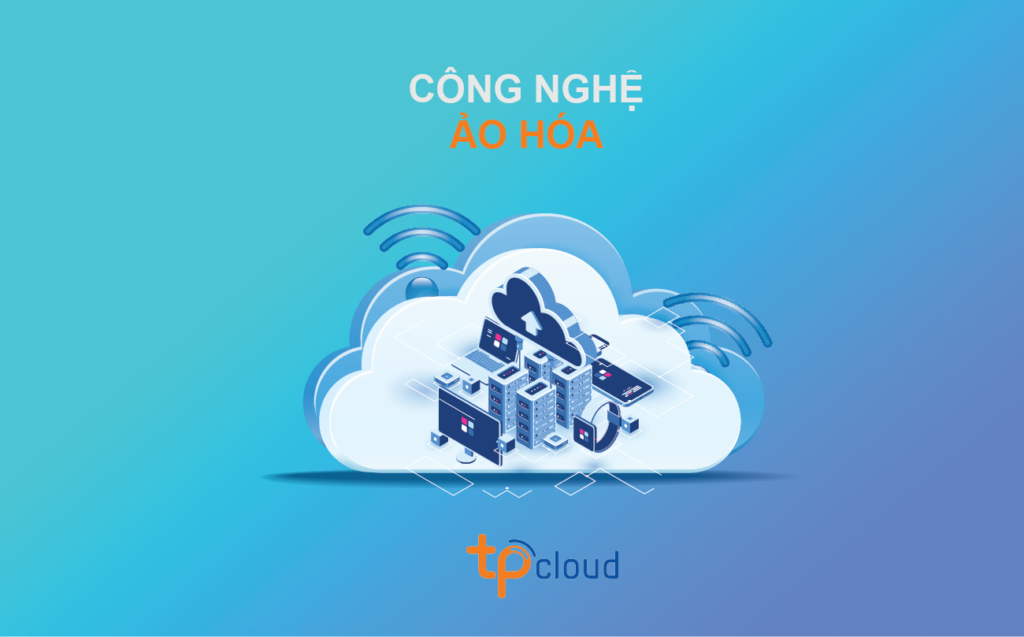
What is Virtualization Technology?
In a cloud environment, virtualization is a necessary element to create an intermediate layer between the server hardware system and the software running on it.
Virtual Machine refers to the process of creating virtual versions of the operating system (OS), servers, network resources, or storage devices, etc.
Overview of Virtualization
Before virtualization technology, the operating system and applications ran on a single… A managed computer. A 1:1 relationship exists between a physical computer and an operating system. It uses little power, only about 5-10% of the power of a physical server. When deploying multiple operating systems, many different physical servers must be built. It takes a lot of time to purchase, assemble, and install.
This model is quite inflexible and quite costly in terms of investment costs, space, power consumption, and maintenance and upkeep issues…
Virtualization technology was created to fully exploit the capabilities of physical servers. Virtualization allows multiple virtual machines to run on the same physical server, sharing the physical server’s resources such as CPU, RAM, and other resources. Different virtual machines can run operating systems and applications on the same physical server.
Virtualization technology allows the consolidation and running of multiple workloads as virtual machines on a single server. A virtual machine is a computer created by software that functions like a physical computer, running an operating system and applications. Each virtual machine has its own virtual hardware, including a CPU and other virtual hardware.
Benefits of Virtualization
Virtualizing IT infrastructure allows for cost reduction while increasing efficiency, performance, and flexibility for existing infrastructure.
Reduced number of physical servers, reduced power consumption during server operation, reduced server footprint, savings in hardware maintenance costs and time, and improved work efficiency.
Easier system expansion, faster system deployment. Virtual server deployment is much faster than deploying physical servers, making use of existing resources. Each virtual machine is simply a file or a folder; users can create new virtual servers by copying a file from the current virtual server and reconfiguring it, placing the new virtual server on a physical server with available resources.
With centralized management tools, users can monitor which servers are overloaded and apply policies to increase resources (CPU, RAM, etc.) for those virtual servers or move overloaded virtual servers to a more powerful physical server with more resources to run. The entire process can be performed without shutting down the virtual machine.
Fully utilize the resources of physical hardware by running multiple operating systems on a single physical server.
Minimize initial investment costs by reducing physical infrastructure and improving the server. Reduces server room space, power supply requirements, and other maintenance and operating costs.
Basic Types of Virtualization
There are 4 basic types of virtualization: Storage systems, network systems, applications, and server systems.
-
Storage system virtualization: Basically, it’s the simulation or emulation of storage from physical storage devices. These devices can be magnetic tapes, hard drives, or a combination of both. This increases data access speed and saves time compared to having to locate which server is running on which hard drive to access data. There are three types of models:
-
-
Host-based: The virtualization layer and the physical drive are separated by the drive’s control drivers. The virtualization software accesses resources through the control of this driver layer.
-
Storage-device based: The virtualization software communicates directly with the hard drive. This can be considered a special type of firmware, installed directly onto the hard drive. It allows the fastest access to the hard drive, but the settings are often more difficult and complex than other models. Virtualization services are provided to servers through a control device called a Primary Storage Controller.
Network-based: Virtualization is performed on a carrier device, which could be a switch or a server connected to a storage center (SAN). From these switches or servers, connected applications communicate with the data centers using simulated “hard drives” created based on the real data center. This is also the most common model in practice.
-
Network Virtualization:is a process of consolidating resources and devices, including both hardware and software, into a virtual network system. These resources are then divided into channels and linked to a virtual server or device. There are many methods for implementing network virtualization. These methods depend on the supporting devices, the available network infrastructure, and the network service provider. There are 2 common models of network virtualization:
-
-
Virtualized overlay network: Multiple virtual networks coexist on a shared resource layer. This includes network devices such as routers, switches, transmission cables, and NICs (network interface cards). Establishing this virtual network system will allow seamless exchange between different network systems, using different protocols and transmission media.
-
-
Cisco Virtualization Model: A virtualization model divided into 3 areas, each with specialized functions. The areas will be interconnected to provide solutions to users seamlessly.
-
-
Access Control Area: Responsible for authenticating logged-in users to access system resources, thereby preventing unauthorized user access. Additionally, this area checks, verifies, and authenticates user access to active areas.
-
-
Path Isolation Area: Responsible for maintaining communication through the Network layer, transporting communication between different areas in the system. These areas use different protocols such as MPLs and VRF, therefore a communication bridge is needed between them. In addition, this area is responsible for linking transmission lines with the operating areas in the two adjacent areas: Access Control and Services Edge.
-
-
Services Edge: Here, access control and security policies are applied to each specific operating area, thereby providing users with access to services. Services can be shared or distributed, depending on the application development environment and user requirements.
-
-
Application Virtualization: This is another form of virtualization that allows users to decouple the application from the operating system and redistribute the application to suit the user. Virtualized applications will not be installed on the computer in the usual way, although from the user’s perspective, the application functions normally.
-
-
Application Streaming: The application is divided into many code segments and transmitted to the user’s machine when that code segment is needed. These code segments are packaged and transmitted using HTTP, CIFS, or RTSP protocols.
-
Desktop Virtualization/Virtual Desktop Infrastructure (VDI): The application will be installed and run on a virtual machine. A management infrastructure will automatically create virtual desktops and provide these virtual desktops to users when needed.
-
-
Server system virtualization: Allows users to run multiple virtual servers on a single physical server, offering many benefits such as increased mobility, easier setup with virtual servers, and easier resource management and sharing. There are 2 basic types of server virtualization:
-
-
Virtualization Management Layer or often called “Hosted”: This is the initial form of server virtualization. The virtualization function in Hosted is built on a common operating system (OS).
This architecture uses a hypervisor layer running on top of the operating system, using services provided by the OS to allocate resources to virtual machines. This hypervisor is considered a separate software layer; therefore, the virtual machine’s guest operating systems will reside on the hypervisor layer, then the host operating system, and finally the hardware system…
-
Hypervisor-based or also known as Bare-metal hypervisor: This is a form of virtualization that runs directly on the host hardware. Therefore, compared to Hosted, it has the advantage of optimizing machine resources and faster processing speed.
The software layer Hypervisor runs directly on the host hardware system, without going through any other operating system or platform. Therefore, these Hypervisors are capable of controlling and managing the server’s hardware systems. At the same time, they can also manage the operating systems running on them. In other words, the operating systems reside on the Metal-Bare Hypervisors and then on the hardware systems.
-
-
-
Managing software updates becomes easier, resolving application conflicts and testing their compatibility becomes easier. Currently, there are quite a few application virtualization programs with 2 main types of technology:
-
-
-
-
-
-
-
-